
Impressions up, clicks down looks alarming in Search Console, but it often means nothing is broken. Impressions count how often Google showed your link. Clicks count actual visits. When you start appearing for more searches far down the results, impressions rise while clicks stay flat. Check the 5 causes below in order, cheapest check first, and act only on the ones that are yours to fix.
What the four numbers mean
Search Console's Performance report gives you four numbers. Each one is counted in a specific way, and the details explain most surprises.
- Impressions: how often a link to your site was shown in Google's results. On a normal results page it counts even if the person never scrolls down to your link.
- Clicks: how often someone clicked through to your site. A click that keeps the person inside Google doesn't count.
- CTR (click-through rate): clicks divided by impressions. 50 clicks from 1,000 impressions is a 5% CTR.
- Average position: for each search, Google takes your highest spot in the results, then averages across searches. Position 1 is the top, so a bigger number is worse.
Google explains each metric on its Performance report help page. Keep one rule in mind: CTR falls whenever impressions grow faster than clicks, even if you lose no visitors at all.
Check these 5 causes in order
The order below runs from the quickest check to the slowest. It is our order, not Google's: Google doesn't publish which cause is most common. Open Search Console, go to Performance → Search results, and keep that report open.
1. Google changed how it counts
Sometimes the numbers move because Search Console logged them differently, not because anything happened on your site. Google lists these cases on its data anomalies page.
One entry covers almost a whole year of data. A logging error stopped Search Console from reporting impressions accurately from May 13, 2025 until April 27, 2026. It affected impressions, CTR and average position, but not clicks. Smaller entries, such as a dip in AI search impressions on November 9 to 11, 2026, can also skew a short comparison.
How to check: look at the dates you are comparing. If one period falls inside a listed anomaly and the other doesn't, the comparison is unreliable.
What to do: nothing on your site. Compare two periods on the same side of the change instead.
2. You now show up for more searches, far down the results
This is the most harmless cause, and it is easy to confirm. Google started showing your pages for new searches, but low in the results, where few people click.
How to check: click the date filter at the top of the report, choose the Compare tab, and pick the last 3 months against the previous period. Open the Queries tab and click the Impressions column heading to sort. New searches with many impressions, a high average position number and almost no clicks point to this cause.
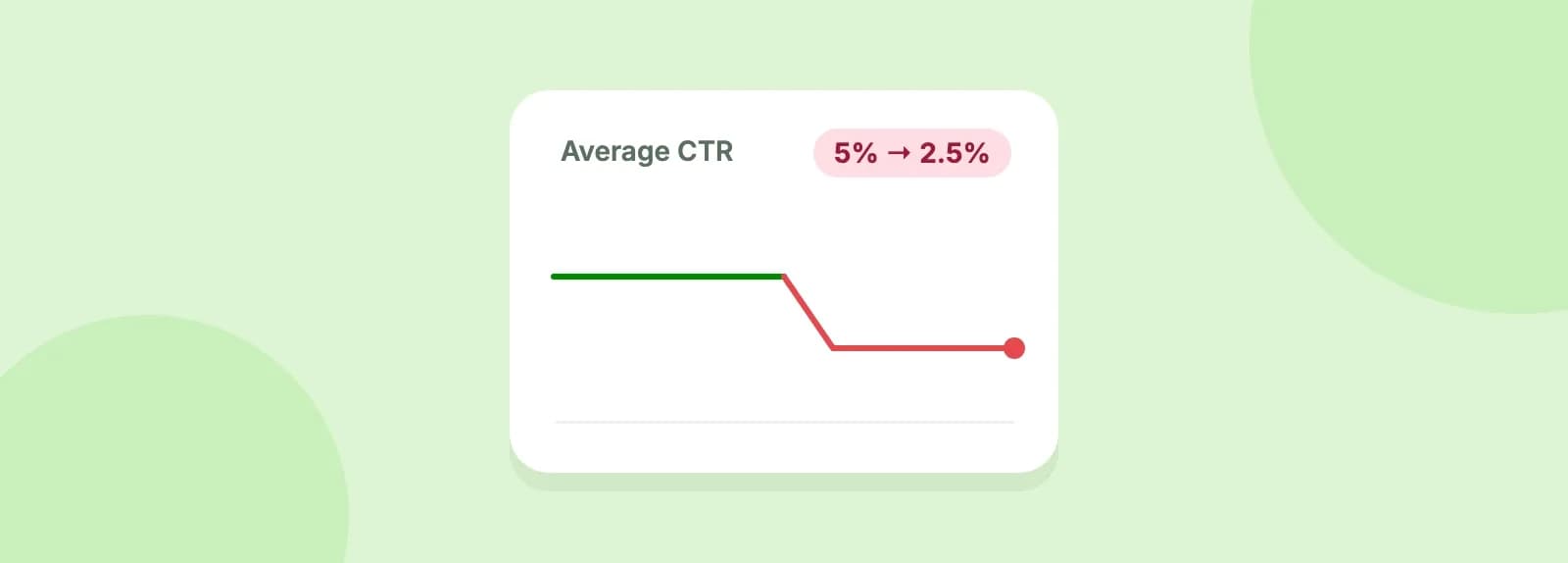
Here is a worked example with our own numbers. The site gains 10 new searches at position 40, worth 1,000 impressions in total, and loses nothing.
| Before | After | |
|---|---|---|
| Impressions | 1,000 | 2,000 |
| Clicks | 50 | 50 |
| CTR | 5% | 2.5% |
| Average position | 6 (1,000 impressions at 6) | 23 (1,000 at 6, 1,000 at 40) |
Impressions doubled and CTR halved, but not one visitor was lost. The chart looks like a problem, and it isn't.
What to do: nothing, unless the new searches are a real opportunity. If a new search fits your page well, add a short section that answers it directly.
3. Your pages slipped down the results
If your average position got worse on the same searches, fewer people see your link near the top, and clicks fall.
How to check: click the Average position box above the chart to add it. Then open the Pages tab and compare the two periods page by page. A page whose position number grew on its main searches has slipped.
What to do: open that page and look for anything that changed around the date of the drop. Common technical causes are pages returning errors and a redesign that removed content. Our guide to why website traffic drops walks through the wider list.
4. Your result looks less tempting
If the position held steady but CTR fell, people see your link and choose another one. Often Google is showing a different title or description than the one you wrote.
How to check: in the Pages tab, find a page with a steady position and a lower CTR. Search its top query yourself and read your result as a stranger would.
Google builds the blue link from your <title> tag (the page title set in your page's code or in your website editor, such as WordPress or Shopify), your main heading and other text on and about the page. Its title link documentation lists common cases where it replaces your title, including:
- the title is vague or nearly empty;
- the title is out of date, such as last year's year;
- many pages share almost the same title;
- the page has no clear main heading;
- the title doesn't match what the page is about.
The description under the link is mostly taken from the page content. Google may use your meta description (a short summary you can write in the page's code or SEO plugin) when it describes the page more accurately.
What to do: give every page a specific, current title and a clear main heading. Fix any missing title tag and missing meta description. Google may take a few days to a few weeks to revisit the page and pick up the change, so judge the result a month later.
5. Google answers the question above your link
For some searches, Google now shows an AI Overview (an AI-written summary at the top of some results) or another answer above the normal results. Some people get what they need there and don't click.
How to check: search your top queries in a private browser window and see what sits above your link. Then open Search Console's Generative AI performance report. It shows how often your pages appeared in AI Overviews and AI Mode (Google's chat-style search, where you can ask follow-up questions), as impressions only, not clicks. If those impressions rose while clicks fell on the same pages, this is likely your cause.
Search Console counts these the same way as normal results: a click on your link in an AI Overview is a click, and all links in an AI Overview share one position.
What to do: be honest with yourself here: this is mostly out of your control. Make sure the page answers the question better than a two-line summary can, with specifics, examples and steps.
Which cause is it? A quick decision table
| What you see | Likely cause | What to do |
|---|---|---|
| The change lines up with a listed anomaly date | 1. Reporting change | Nothing, compare other dates |
| Many new searches with a high position number | 2. More searches, far down | Nothing, or answer the good ones |
| Position number grew on your main searches | 3. Pages slipped | Find what changed on the page |
| Position steady, CTR down | 4. Less tempting result | Rewrite the title and description |
| Position steady, an AI answer shows above you | 5. Google answers first | Make the page worth the click |
Watch it next to your technical issues
Checking this by hand every month takes time. UpCrawler's Search Console integration reads your clicks, impressions, CTR and position by query, page, country and device (Starter plan and above). It shows them next to the technical issues on the same pages.
Want to rule out the technical side first? Run a free audit and check your homepage in about a minute.
Share it with whoever runs your site’s SEO.